How to Build a High-Performance Sports Streaming App

Summary:
This blog provides a clear overview of how to build a sports streaming app, including essential features, advanced capabilities, tech architecture, cost breakdowns, and the full development roadmap. It also covers monetization options, performance challenges, and what makes a streaming experience successful. If you’re exploring sports streaming app development, this guide helps you understand the process and what it takes to launch a smooth, user-friendly platform.


Opening Story: How Live Sports Moved From TV to Personal Screens

If you’re anything like me, you probably remember those noisy living rooms where everyone argued about who touched the TV remote first. Live matches felt like a mini festival, snacks everywhere, someone yelling at the screen, and that familiar smell of hot popcorn drifting from the kitchen.
Fast-forward to today? Most of us watch sports alone, curled up on a couch, streaming from our phones or tablets. It’s quiet, convenient, and honestly… kinda nice.

This shift didn’t happen overnight. Fans changed. Schedules changed. Even attention spans changed. And because of that, sports streaming apps from ESPN to SportSurge pretty much took over.
And here’s the twist: there’s still plenty of room for new players. If you’re thinking about creating your own sports streaming app, 2026 is actually the perfect year to jump in.

In this guide, I’ll walk you through everything you need, like features, tech stack, cost, challenges, and a roadmap that makes the whole thing feel doable instead of overwhelming. No jargon. No overhyped nonsense. Just a clear path you can follow.


The New Sports Economy: Why Streaming Apps Are Winning

Sports Streaming App

Cable TV is kinda fading. Not dead, but definitely yawning.
People don’t want to wait for matches or deal with channel packs that include 75 things they never watch. Streaming feels lighter. Cheaper. More flexible. And when it comes to sports, something people actually care about, the shift has been massive.

A few things shaping the new sports economy:

  • Fans want instant access, not a hunt for the right channel.
  • Younger viewers prefer watching highlights on the go.
  • Micro-subscriptions (you know, “Pay only for this match!”) are trending hard.
  • Sports clubs and smaller leagues finally have a chance to broadcast on their own terms.

All of this creates a huge space for dedicated sports streaming apps that offer a better experience than traditional TV or random, sketchy websites.


What Makes a Sports Streaming App Truly Successful?

Before jumping into features, let’s talk about what actually makes a sports streaming app worth using. It’s not just “lots of matches” or “fancy UI.” People want something that feels smooth, reliable, and enjoyable.
Once you nail these five core pillars, everything else becomes easier:

1. Zero-Buffering Experience

Nothing ruins a match faster than the stream freezing right when a goal is about to happen. People rage-quit apps for less.

2. Smooth UI on Low Bandwidth

Users in remote or slow-network areas still expect an app that works without stuttering.

3. Reliable Streaming Infrastructure

At peak times, such as finals and playoffs, view counts spike significantly. The system should not fall apart.

4. Fan Engagement Tools

Live chat, reactions, and fun elements keep users glued to the screen. It makes the experience feel alive.

5. Smart Monetization Strategy

Apps survive on revenue. Subscriptions. Ads. Merch. Whatever works best for your audience.


Essential Features Users Expect from a Sports Streaming App
Features of Sport Streaming App

These aren’t fancy add-ons. They’re basically the “bare minimum” people look for when they download a streaming app.

A. Experience Features

  • Instant start, no 10-second spinning loaders
  • HD and 4K streaming
  • Adaptive bitrate for unstable connections
  • Dark mode
  • Swipe gestures for fast navigation

B. Match Discovery Features

  • Personalized feed
  • Trending moments
  • Smart search (teams, players, leagues)
  • Reminders for matches and tournaments

C. Fan Interaction Features

  • Live chat room
  • Reactions, emojis
  • Polls and predictions
  • Community watch parties

D. Control & Convenience

  • Offline downloads
  • Multi-device login
  • Continue watching
  • Chromecast or Smart TV support

They sound simple, but these are the features that keep users coming back.


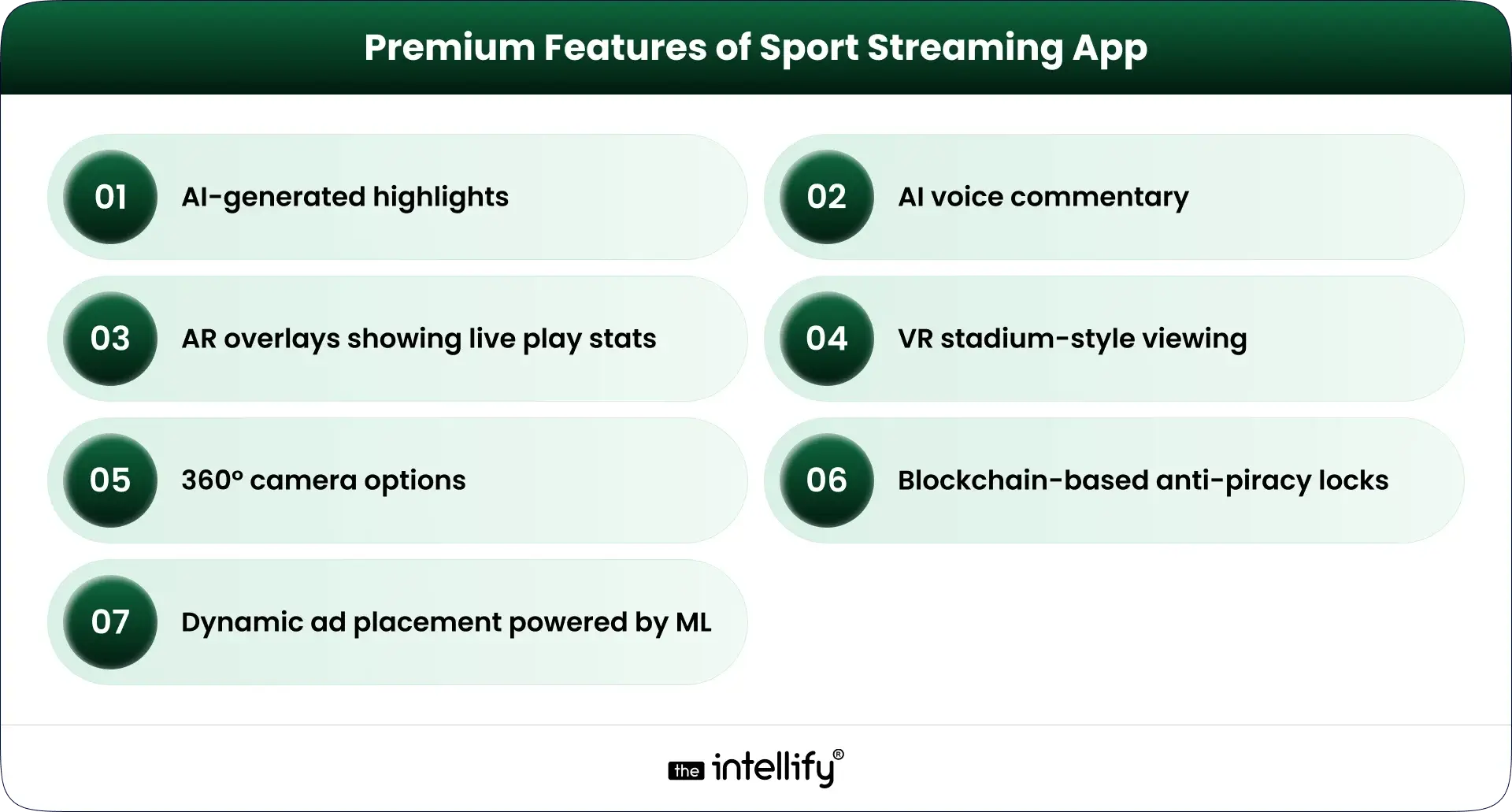
Premium & Differentiator Features (For Competitive Advantage)

If you really want your app to stand out, here’s where the “wow” factor comes in. These aren’t mandatory, but they are very helpful.

  • AI-generated highlights (automatic clip creation)
  • AI voice commentary (yep, it’s a thing now)
  • AR overlays showing stats during live play
  • VR stadium-style viewing
  • 360° camera options
  • Blockchain-based anti-piracy locks
  • Dynamic ad placement powered by machine learning

Apps like ESPN, DAZN, and Hotstar are already flirting with some of these. In the future, users expect innovation not just streaming.


The Technology Blueprint Behind a World-Class Streaming App

A. Stream Delivery Architecture

This is basically the “highway” your video travels on.
It includes:

  • Video encoding
  • Transcoding
  • Packaging formats (like HLS, DASH)
  • CDN (Content Delivery Network)
  • Latency controls

A good CDN is the reason your stream loads instantly instead of buffering like an old YouTube video from 2010.

B. Frontend & Backend Tech Stack

  • Frontend = what users see
  • Backend = what runs behind the scenes
  • Technologies vary, but usually include:
  • React Native / Flutter for mobile
  • Node.js / Python for backend
  • WebRTC or HLS for streaming

Nothing fancy, just stable and scalable choices.

C. Infrastructure

You’ll need:

  • Cloud hosting
  • Load balancers
  • Database
  • Payment systems
  • Security layers

Think of it like building a stadium. Fans only see the field, but a LOT happens underground.


Step-by-Step Roadmap to Build a Sports Streaming App (From Idea to Launch)
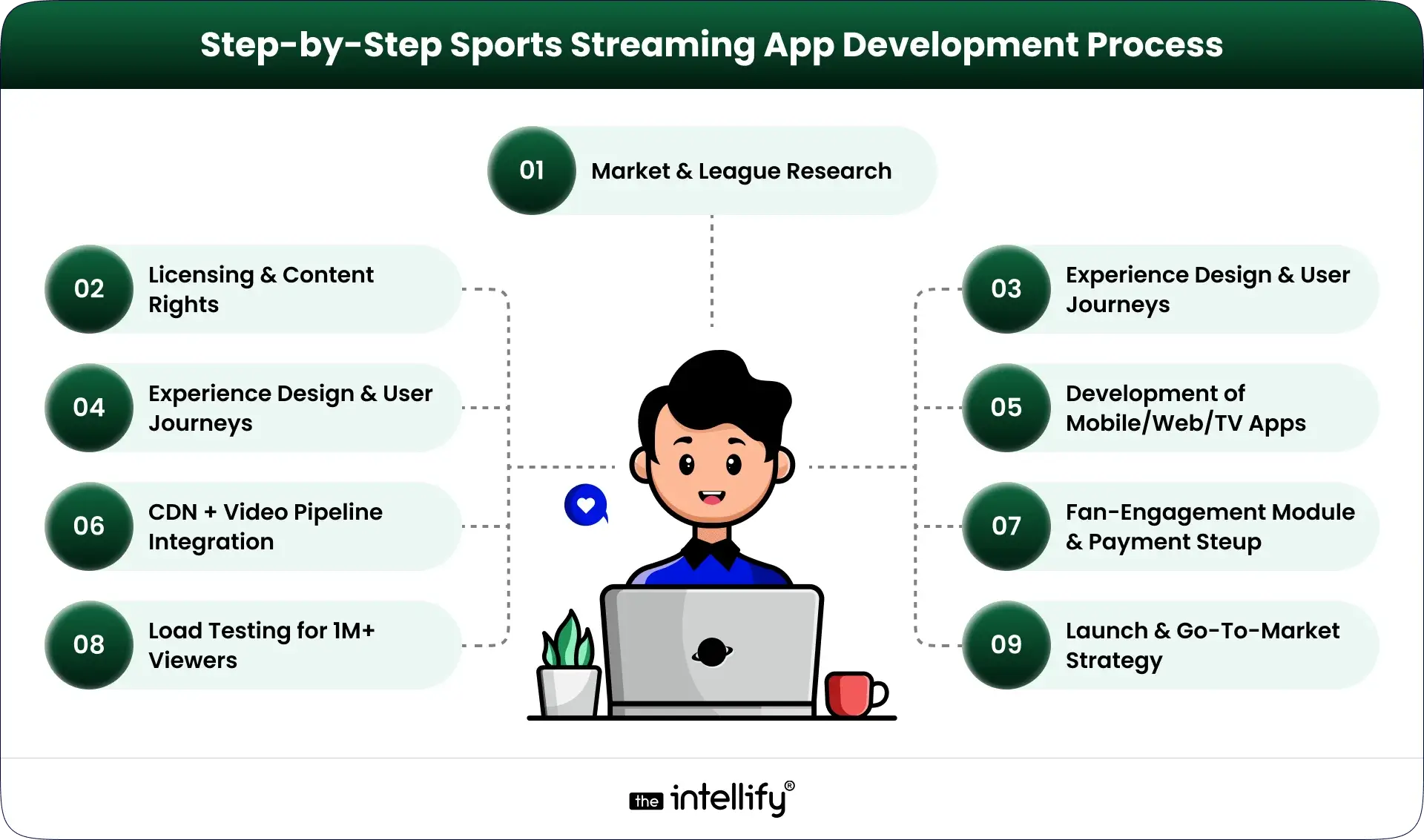
Sports Streaming App Development Process

Here’s a roadmap that works for startups, broadcasters, sports clubs, and pretty much anyone.

1. Market & League Research

Understand what fans want. Is it cricket? Soccer? Niche sports?

2. Licensing & Content Rights

Skipping this step? That’s a disaster waiting to happen.

3. Experience Design & User Journeys

Plan how users move through the app. Keep it simple, clean, and friendly.

4. Streaming Architecture Setup

CDN, latency settings, multi-bitrate streaming, all the tough backend stuff.

5. Development of Mobile/Web/TV Apps

Frontend teams and backend teams work together here.

6. CDN + Video Pipeline Integration

This is where the actual “streaming” becomes real.

7. Fan-Engagement Module Development

Chats, polls, reactions, all tiny things that make the app fun.

8. Payment & Subscription Setup

Stripe, Razorpay, PayPal whatever fits.

9. Load Testing for 1M+ Viewers

Because a match final will test your app.

10. Launch & Go-To-Market Strategy

Soft launch → feedback → final release.

Done right, this process sets the foundation for a stable, enjoyable sports app.


Sports streaming app development company


Monetization Strategies That Actually Work for Sports Streaming

Here’s where the money comes in (quietly, not with a loud marketing pitch).

  • Subscription bundles: monthly, annual, or per sport
  • Match-based PPV: users pay only for specific games
  • Freemium model: free basic content, paid premium matches
  • In-stream ads: subtle, non-intrusive ads
  • Sponsored highlights: brands love these
  • Merch store integration: jerseys, team gear
  • Exclusive behind-the-scenes content: interviews, locker room clips

Pick what fits your audience’s habits, not just what seems profitable.


Cost Breakdown: How Much Does It Really Cost to Build a Sports Streaming App?

What influences the cost?

  • Number of features
  • Complexity of streaming
  • Video quality
  • Platforms (iOS, Android, Web, Smart TV)
  • Backend architecture
  • Security requirements
  • Design complexity
  • Size of the development team

Estimated ranges:

  • Basic MVP:
    ₹18-30 lakh ($25,000-$40,000)
  • Mid-Level App:
    ₹45-85 lakh ($55,000-$100,000)
  • High-End Enterprise App (like ESPN-level):
    ₹1.2-3 crore ($150,000-$350,000+)

Costs shift depending on choices, but these ranges give you a solid starting point.


Challenges in sports streaming app


Why a Professional Development Partner Matters

Could you build this with a small freelance team? Maybe.
But should you?
Sports streaming apps require:

  • Scalable architecture
  • Real-time performance
  • Security expertise
  • Testing for extreme loads
  • UI/UX that doesn’t confuse people

Experienced Sports app/software development partners help you avoid costly mistakes and reduce development time. It’s not hype, it’s just how complex systems work.


Why Choose The Intellify for Sports Streaming App Development?

If you’d prefer a team that’s already built video-heavy apps, understands real-time streaming pain points, and knows how to scale systems without blowing budgets, The Intellify might be a good fit.
We’ve worked on mobile apps, real-time platforms, user-friendly dashboards, and streaming systems that don’t crash during peak moments. We also stay involved post-launch because, honestly, the real work begins after users show up.
If you ever want to chat or explore ideas, we’re around.

 

Build your sports streaming app


Final Thought

Sports streaming isn’t slowing down. Fans want more control, better access, and flexible ways to watch the games they love, whether it’s a major league final or a small local tournament.
The coming years are shaping up to be a big year for digital sports experiences. And if you’re planning to build a sports streaming app, now’s the moment to step in before the space gets too crowded.
Start with the basics. Keep the experience smooth. Focus on fans. Everything else falls into place.


Frequently Asked Questions (FAQs)

1. What exactly is a sports streaming app & how is it different from a regular video app?

A sports streaming app is built for live matches, fast updates, and low-delay video. Regular video apps don’t handle real-time events or high traffic spikes well. The Intellify helps set up the backend so the stream stays smooth during peak moments.

2. What core features should my sports streaming app always have?

You’ll need stable live streaming, HD quality, match schedules, reminders, login, and multi-device support. These basics help users find and watch games easily. The Intellify usually helps teams pick features that fit their goals and budget.

3. If I want advanced features (to stand out), which ones add real value?

AI highlights, multi-angle views, live stats, and fan chat rooms boost engagement. These features make the app feel more “alive.” The Intellify guides clients on what’s practical to add first.

4. How much does it cost to build a sports streaming app?

Costs depend on features and streaming quality. MVP apps cost less; full platforms with advanced streaming cost more. The Intellify breaks costs down clearly so teams know where their budget goes.

5. What are common challenges when building a live sports streaming app?

Handling huge traffic, reducing delay, and preventing piracy are the usual hurdles. Licensing can be tricky too. The Intellify helps plan for these early so the launch goes smoothly.

6. Should I start with a minimal app (MVP) or go for a full-featured version?

Starting with an MVP is safer. You test the idea, learn what users like, then scale. The Intellify often suggests this path for faster validation.

7. Can The Intellify help build my sports streaming app, even if I’m a small startup or content owner?

Yes. The Intellify builds streaming apps for startups and growing teams, focusing on smooth video, stable performance, and clean UX. You can share your idea, and we’ll help shape it into a workable plan.

How to Build a Quick Commerce App? Benefits, Process & Cost Guide

Summary:
This blog explains how quick commerce works and why it’s becoming the preferred way to deliver essentials within minutes. It covers dark stores, business models, benefits, AI’s role, and a complete step-by-step guide to building a Q-commerce app. You’ll also find cost insights, key challenges, and future trends to help you plan, launch, or scale a quick commerce business in 2026 and beyond.


Quick commerce has shifted from a “nice-to-have” option to something people now expect. The promise is simple: groceries, essentials, and small daily items delivered to your doorstep in minutes. And surprisingly, people have gotten used to it almost like they got used to online payments or same-day delivery a few years ago.
If you’re planning to enter this space or upgrade your existing delivery business, building a well-designed quick commerce (Q-commerce) app is one of the smartest moves in 2026. Below is a detailed guide that explains the industry, benefits, business models, process, and complete development cost.


The Rise of Quick Commerce: Market Overview

Quick commerce exploded mainly because people want convenience without waiting. The rise of remote work, urban living, and busy schedules changed shopping habits. Customers now prefer ordering a few items instantly instead of doing one big weekly shopping run.
A few major reasons why the market is booming:

  • Smaller delivery radius (often 1-3 km)
  • More Dark stores made fulfillment faster
  • Partnerships between retailers and tech startups
  • Competition lowered delivery costs
  • The use of AI for routing, demand forecasting, and customer behavior analysis

Major brands like Blinkit, Getir, GoPuff, and DoorDash Express have shown that the model works when operations are tight and speed is consistent. The market is expected to keep growing because users want convenience, and businesses want more recurring orders instead of occasional ones.


What Is Quick Commerce?

What Is Quick Commerce

Quick commerce or Q-commerce is a system where customers order essential items and receive them within a short window, usually 10-30 minutes. These items are usually essentials: groceries, snacks, personal care, medicines, pet supplies, and more. The goal is to fulfill last-minute or immediate needs.
It relies on:

  • High-density micro-fulfillment centers
  • Fast vehicles (bikes, scooters, bicycles)
  • Smart routing technology
  • Real-time inventory
  • A well-designed mobile app

Unlike regular e-commerce, which might take a day or two, Q-commerce focuses only on urgent or frequent purchases like snacks, vegetables, medicines, baby items, cleaning supplies, or anything you might run out of at the wrong time.


What Are Dark Stores?

Dark stores are mini warehouses placed inside busy neighborhoods. They look nothing like retail stores, no walking lanes, no customers, no fancy signboards. They simply act as fast fulfillment hubs.
Dark stores help:

  • Keep inventory close to delivery zones
  • Reduce delivery time
  • Improve order accuracy
  • Increase the number of deliveries per hour

Most quick commerce companies operate multiple dark stores to cover different clusters inside a city.


How To Start A Quick Commerce Business?

If you’re thinking about building a Q-commerce venture, here’s the basic flow:

  1. Pick your business model – inventory-led, aggregator, niche, etc.
  2. Choose your service zones – define clusters or neighborhoods.
  3. Set up dark stores or supplier partnerships.
  4. Build your Q-commerce mobile app – for users, delivery partners, and admins.
  5. Integrate AI-powered tools – routing, recommendations, and demand predictions.
  6. Onboard suppliers and delivery fleets.
  7. Plan marketing and promotions for the first 60 days.
  8. Start with a small area and scale gradually.

This blueprint helps control costs while making operations smoother.


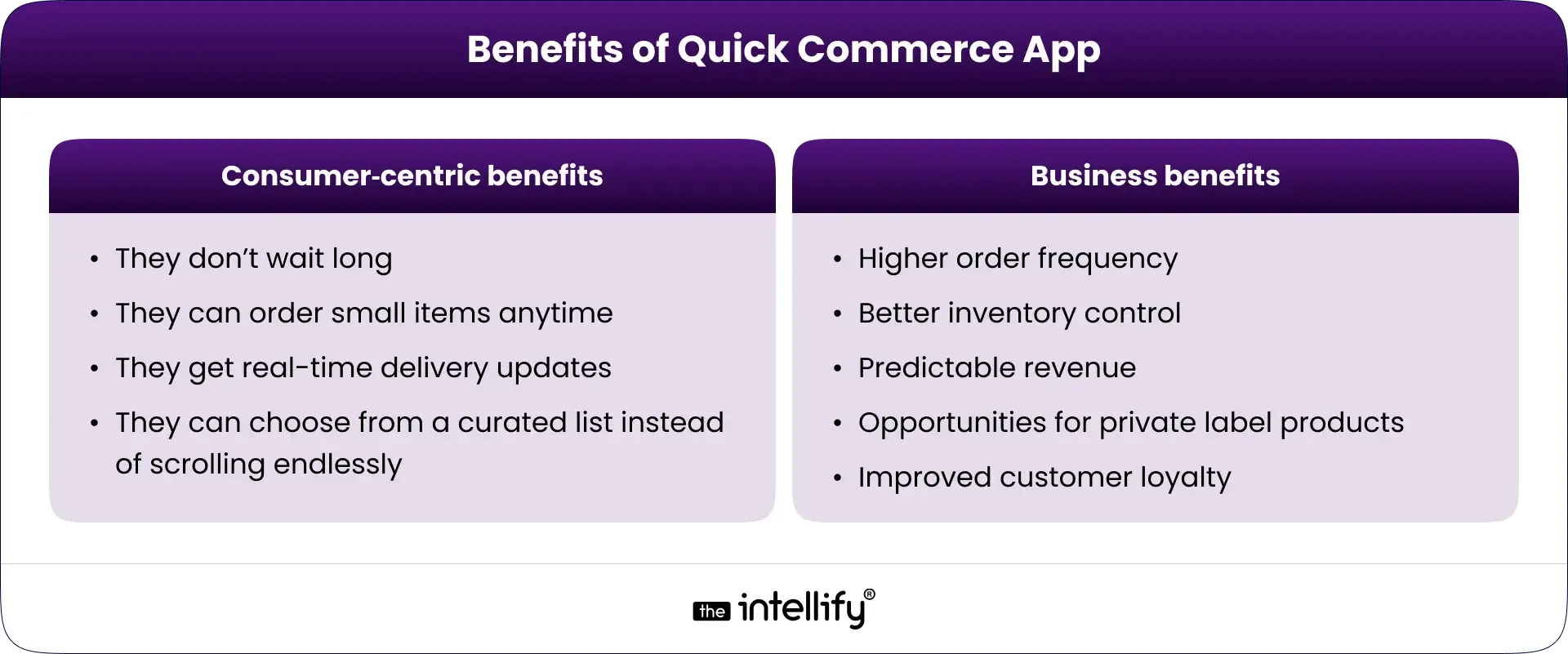
Benefits of Quick Commerce for Businesses

Benefits of Quick Commerce for Businesses

Quick commerce gives companies the chance to offer faster delivery and increase customer loyalty. Some practical advantages include:

  • Higher order frequency: Customers order multiple times per week
  • Better inventory control: Dark stores reduce stock mismatches
  • Predictable revenue: Steady flow of orders due to essential items.
  • Opportunities for private label products: You can introduce your own brands.
  • Improved customer loyalty: Speed creates trust and repeat usage

Benefits of Quick Commerce for Startups

Startups get some extra advantages:

  • They can start small with one cluster
  • Easy to scale city-by-city
  • Faster customer adoption
  • Clear data insights for product decisions

Benefits of Quick Commerce for Users

People love Q-commerce because:

  • They don’t wait long
  • They can order small items anytime
  • They get real-time delivery updates
  • They can choose from a curated list instead of scrolling endlessly

In short, it makes life easier for busy individuals and families.


Key Difference Between E-Commerce & Quick Commerce

Here’s the simplest way to understand it:

Feature E-Commerce Quick Commerce
Delivery Time Hours to days Minutes
Inventory Large warehouses Small, local dark stores
Order Size Big baskets Smaller, urgent items
Speed Priority Medium Very high
Technology Use Standard High automation + AI
Customer Expectation Flexible Instant

Quick commerce is all about speed and convenience. Traditional eCommerce focuses on availability and variety.


Impact of AI in Quick Commerce Development

AI now sits at the center of every fast delivery system. It helps companies decide what products to stock, how many employees they need, and which route a rider should take.
Here are some ways AI shapes Q-commerce today:

  • Demand forecasting: Predicts what products users will need based on trends, seasons, and order patterns.
  • Route optimization: Suggests the fastest delivery routes to minimize time and fuel costs.
  • Inventory suggestions: Recommends stock levels and reduces wastage.
  • Real-time pricing: Helps adjust delivery fees or promotions based on demand or traffic.
  • Personalized recommendations: Shows users products they often buy or may need soon.
  • Warehouse Automation: Speeds up picking, packing, and stocking.

AI reduces manual work and helps lower the cost per delivery, which is important for profitability.


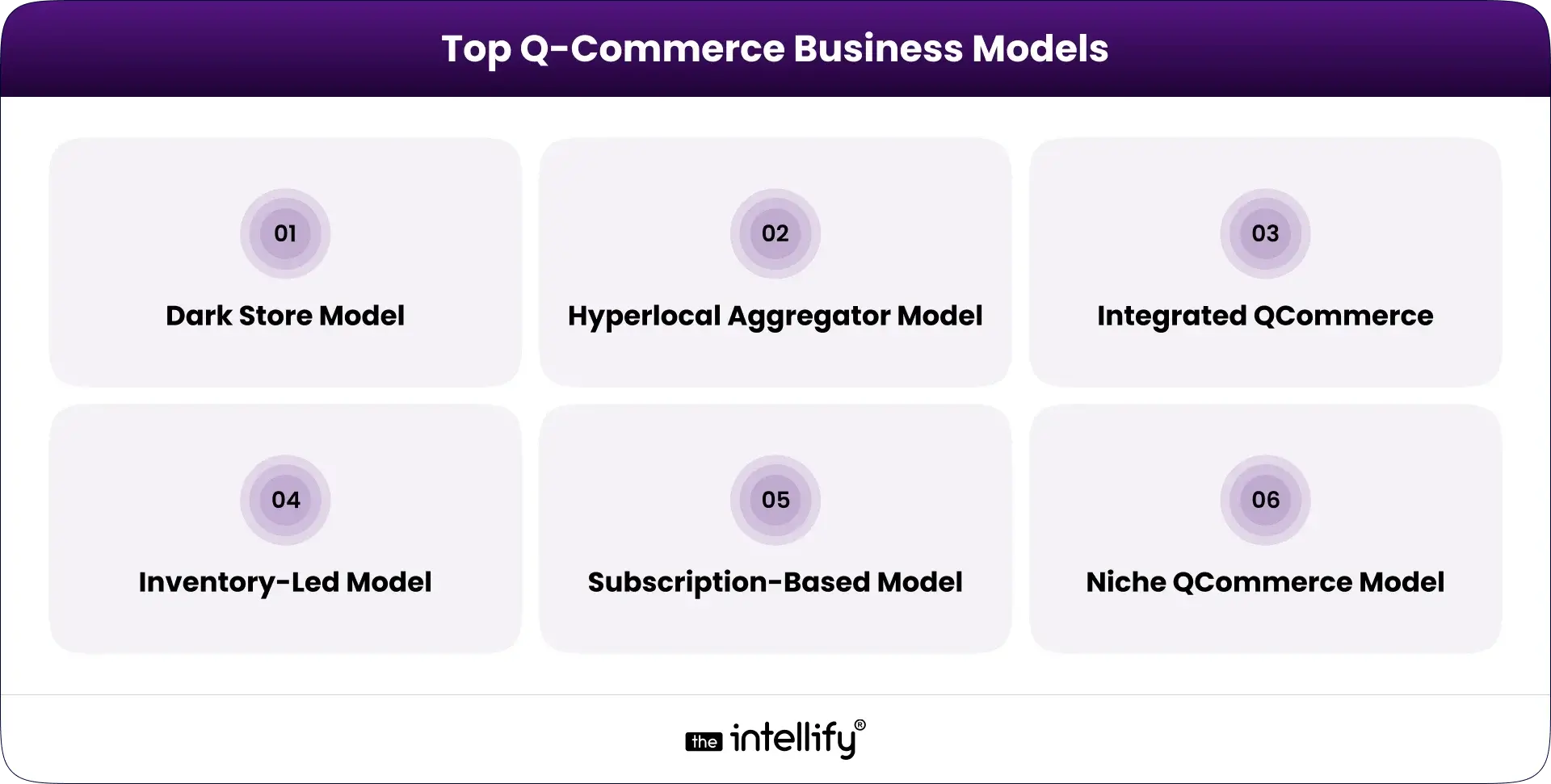
What Are Some Top Q-Commerce Business Models?

Q-Commerce Business Models

Different companies use different models depending on their budget, scale, and product type.

Dark Store Model

You run your own dark stores with your inventory. This gives the highest control and the fastest service.

Hyperlocal Aggregator Model

You partner with nearby stores and list their inventory inside your app. You don’t hold stock.

Integrated QCommerce

You manage both inventory and delivery, but collaborate with local suppliers.

Inventory-Led Model

You completely own the stock and handle everything from procurement to delivery.

Subscription-Based Model

Users pay monthly and receive recurring deliveries (e.g., milk, fruits, snacks).

Niche QCommerce Model

You focus on one category only, such as organic produce, pet supplies, beauty items, etc.


Step-by-Step Process to Build a Quick Commerce App

Here’s a clean breakdown of the development process:

  1. Market research and requirement analysis: Understand features, delivery radius, product categories, and operational workflow.
  2. Business Model and Delivery Radius Finalization: Choose your model and store setup approach.
  3. User Flow and Architecture Planning: Create wireframes, app navigation, and backend structure
  4. UI/UX Design: Focusing on speed, easy navigation, and clean visuals.
  5. Develop app panels: user app, delivery app, store/warehouse app, admin web dashboard
  6. Core Feature Integration, like order tracking, payments, routing, inventory, and notifications
  7. AI Integration: Add demand forecasting, routing, and recommendations
  8. Testing: Check performance, load, bugs, and speed
  9. Deployment: Launch on the Play Store and App Store.
  10. Operational Testing: Ensure packing times, fleet readiness, and routing are stable.
  11. Scaling: Expand to more localities and optimize dark stores.

The goal is to build an app that loads fast, works smoothly under high traffic, and handles real-time operations.


Build quick commerce app


How to Choose Partner for Quick Commerce App Development?

When choosing a development partner, focus on:

  • Experience in building on-demand delivery, logistics, or marketplace apps
  • Strong backend and database capabilities
  • Expertise in real-time tracking, mapping, routing, and inventory systems
  • Knowledge of AI integrations
  • Ability to customize the app, not provide a generic template
  • Clear communication and long-term support
  • Strong testing practices

Pick a team that understands operations, not just app design because the backend is what makes Q-commerce work.


How Much Does a Quick Commerce App Development Cost in 2026?

Costs vary depending on the app’s scale, features, and complexity. But here’s a realistic breakdown:

App Type Estimated Cost (2026)
MVP for one city $45,000 – $65,000
Full quick commerce app $80,000 – $150,000
Enterprise-level, multi-city system $150,000 – $300,000+


The biggest cost factors include:

  • Real-time tracking
  • Inventory integration
  • Smart routing
  • AI-based modules
  • Backend infrastructure
  • Multi-app setup (User + Partner + Admin)

A basic version costs less, but the more automated your system, the better your long-term profitability.


Key Challenges in Developing Quick Commerce

Even though the model is attractive, it comes with some practical challenges.

  • Inventory Management: Keeping stock accurate is critical. Even a small mismatch can cause order cancellations.
  • Quality Control: Fresh produce and perishable goods demand careful handling and fast movement.
  • Financial Challenges: Margins in Q-commerce are thin. Efficient cost control is necessary.
  • Technology Challenges: Real-time sync, fast mapping, and stable servers are necessary to avoid delays.
  • Data Security & Privacy Challenges: Since customers share location and payment details, your app must follow strong security measures.


Future Trends in Quick Commerce Apps Beyond 2026

As the market grows, several new trends are emerging:

  • More AI-driven personalization
  • Drone-based micro-deliveries in selected cities
  • Automated dark stores with robots
  • Voice-based ordering within Q-commerce apps
  • Expansion into semi-urban areas
  • More partnerships with retail chains
  • Sustainable packaging and electric delivery fleets

The future of Q-commerce will be shaped by automation and user convenience.


Quick Commerce App Development


Conclusion

Quick commerce is one of those rare business models that reshaped customer behavior in a short period. People now expect everyday items to be delivered fast, and this trend is going nowhere. If you’re planning to enter the market, building a strong Q-commerce app with real-time features, smooth UX, and AI-driven automation should be your priority.
Whether you’re launching a startup or upgrading an existing retail operation, focus on:

  • Fast app performance
  • Reliable inventory
  • Low operational errors
  • Smart AI tools
  • Strong backend systems

Start small, pick the right mobile app development partners, and scale step by step. The faster your delivery system works, the more trust and long-term customers you gain.


Frequently Asked Questions (FAQs)

1. What is a quick commerce app, and how does it actually work?

A quick commerce app delivers essentials within minutes using dark stores, real-time inventory, and fast routing. Everything runs through a tight backend that syncs orders, stock, and delivery partners instantly. The Intellify builds these systems end-to-end if you need a reliable setup.

2. How do I start a quick commerce business from scratch?

You choose your model, define service zones, set up dark stores or partners, and build the app that connects it all. The Intellify helps founders with planning, app development, and the tech needed to run operations smoothly from day one.

3. What features should a good quick commerce app have?

Essential features include fast search, simple checkout, real-time tracking, delivery assignment, and accurate inventory. Stability and speed matter most. The Intellify helps businesses choose the right features based on budget and scale.

4. How much does it cost to build a quick commerce app?

Most quick commerce apps cost $45,000 – $150,000+, depending on features, cities, and real-time capabilities. The Intellify provides clear cost estimates based on your requirements.

5. How do dark stores help in quick commerce?

Dark stores cut delivery time by keeping high-demand items close to users. They support quick picking, reduce travel distance, and improve order accuracy. The Intellify assists in setting up the tech workflow for dark store operations.

6. What’s the difference between e-commerce and quick commerce?

eCommerce delivers in hours or days; quick commerce delivers in minutes. Q-commerce relies on dark stores, fast dispatching, and real-time systems. The Intellify builds these fast-moving technology layers for businesses entering this space.

7. How can AI improve a Q-commerce business?

AI predicts demand, optimizes routes, speeds up fulfillment, and reduces stock errors. It helps keep operations efficient and costs low. The Intellify integrates AI tools into Q-commerce apps for smarter decision-making.

How AI Inventory Management Software Transforms Business Operations

Summary:
AI inventory management software is reshaping how businesses handle stock, forecasting, and daily operations. Instead of relying on guesswork or outdated spreadsheets, AI helps companies track inventory in real time, spot trends early, and prevent stockouts or excess stock. This blog explains how AI improves accuracy, lowers costs, and boosts overall efficiency across retail, e-commerce, manufacturing, logistics, and more while helping teams work smarter and make better decisions every day.


Why Inventory Management Still Feels Complicated

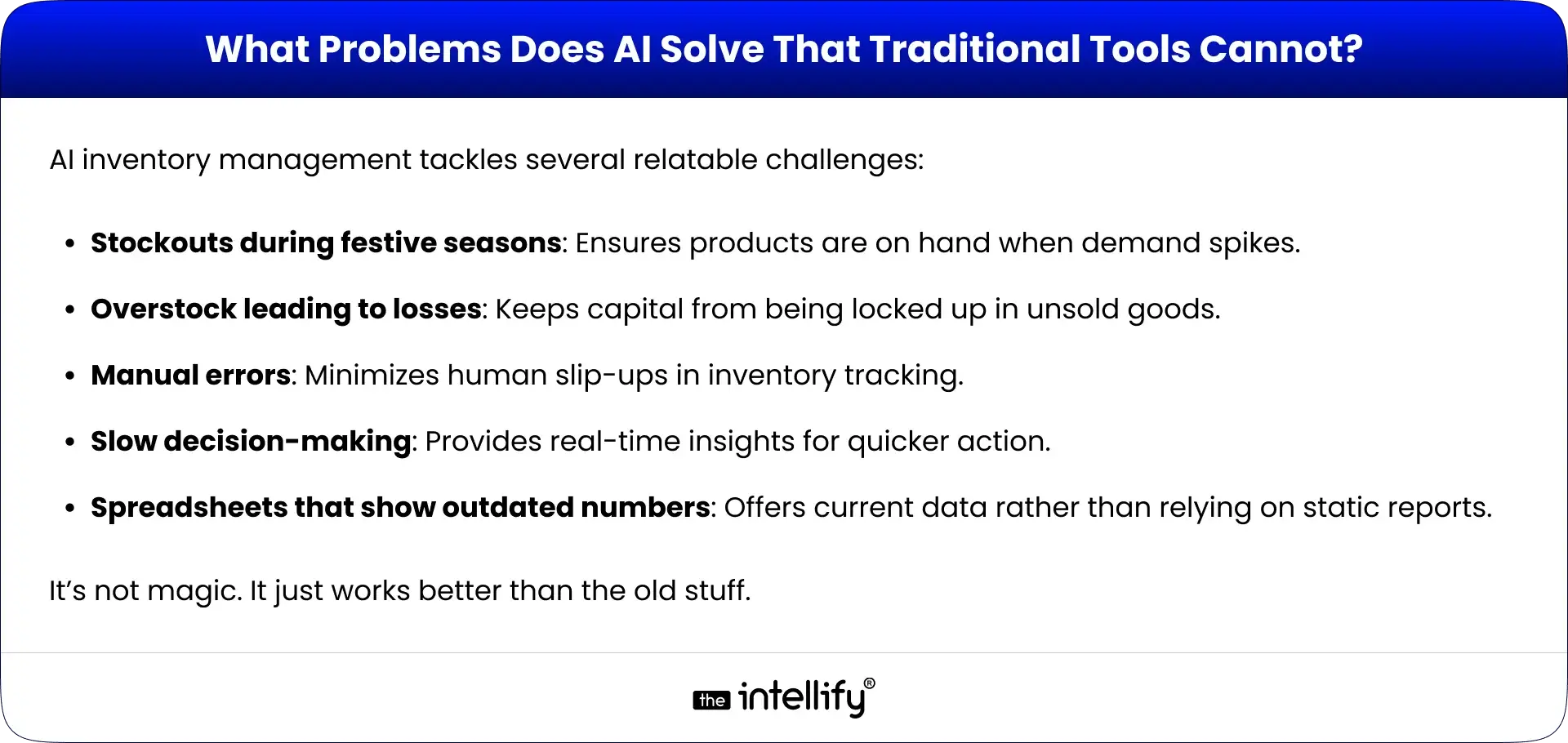
Let’s be honest, managing inventory today can feel like walking into a storeroom where someone turned off the lights and moved everything around. Even with all the so-called “modern tools,” businesses still deal with the same old headaches: stockouts at the worst possible time, piles of unwanted stock gathering dust, and those tiny manual errors that somehow snowball into big problems. Add unpredictable demand on top of that (think festival rushes or random social media trends), and the whole thing becomes exhausting.
That’s where AI inventory management software steps in, not as another shiny tech toy, but as something that genuinely helps untangle the mess. Think of it as that calm friend who walks in, switches on the lights, and says, “Alright, let’s figure this out.”
In this blog, we’ll walk through how AI inventory management can simplify everyday operations, improve decision-making, and yes, give your business a better shot at healthier profits.


What Is AI Inventory Management Software?

AI Inventory Software

AI inventory management software basically works like a super observant assistant, the kind who notices everything you miss. Instead of juggling spreadsheets, sticky notes, and gut feelings, AI looks through heaps of data, catches patterns you didn’t know existed, and quietly automates a lot of repetitive tasks.
Most traditional systems are reactive. They wait for something to go wrong before telling you. AI, on the other hand, uses real-time information from sales, suppliers, and market shifts to stay one step ahead. You get fewer mistakes, faster insights, and a much clearer picture of what’s happening across your business.


How AI Inventory Management Works Behind the Scenes

It might sound complicated, but the behind-the-scenes process is actually pretty logical:

  • Data Collection: AI pulls info from everywhere: sales numbers, supplier updates, market changes. Kinda like someone reading all the notes you left scattered around the office.
  • Pattern Recognition: It checks for patterns and weird bumps in the data. (Think of that moment when you sense something’s off but can’t quite explain it AI can explain it.)
  • Demand Forecasting: Based on history and trends, AI guesses what you’ll need next. And it’s usually right… eerily right sometimes.
  • Real-Time Stock Analysis: Your inventory gets monitored like a live dashboard, not a once-a-week task.
  • Automated Decisions & Alerts: If something’s running low, AI pings you. If something’s piling up, it pings you again. It’s a bit like having a persistent but helpful assistant.
  • Integration: It syncs smoothly with ERP, WMS, POS, eCommerce tools, basically everything that keeps your business running.


Key Features of AI Inventory Management Software

When you’re looking for a solid AI inventory management software, here’s what actually matters:

  • Smart demand forecasting: Adjusts inventory levels based on real patterns.
  • Automated purchase ordering: Takes repetitive reordering off your plate.
  • Multi-location visibility: Lets you see what’s happening across all your sites at once.
  • Stockout & overstock prevention: Sends alerts before issues become expensive.
  • Real-time dashboards: Give you a snapshot of what’s happening right now.
  • Supplier performance insights: Shows who’s reliable and who’s… not.
  • Workflow automation: Cuts down manual tasks so your team can breathe.
  • Expiry/seasonal trend alerts: Helpful when managing perishable or seasonal items.
  • AI-driven SKU-level insights: Breaks things down to the tiniest level so nothing gets overlooked.


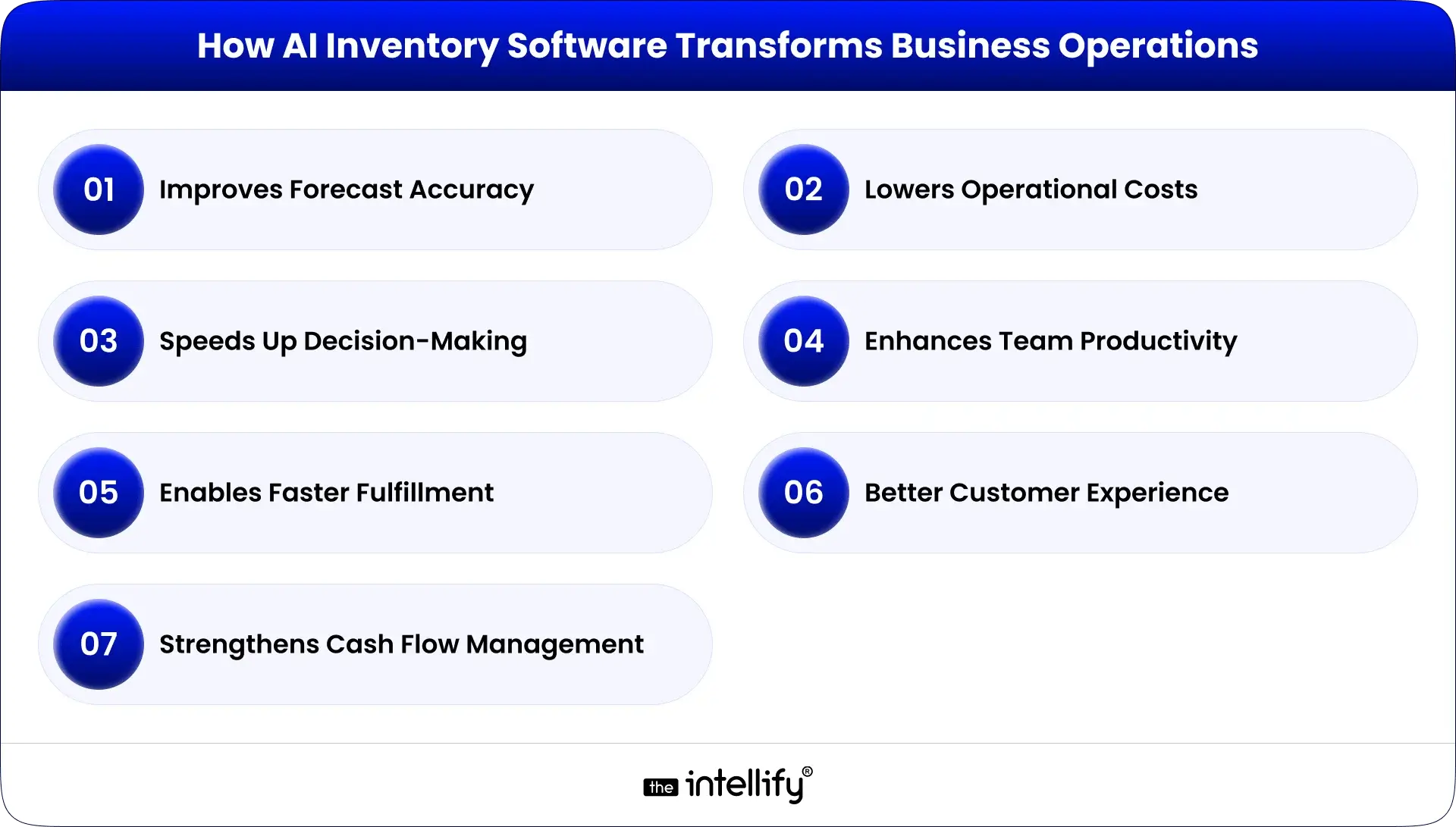
How AI Inventory Software Transforms Business Operations

How AI Inventory Software Transforms Business Operations

Improves Forecast Accuracy

With AI, you’re not guessing. You’re working with clear patterns and data that actually makes sense. No more “I think we might need this?” moments.

Lowers Operational Costs

From smarter reordering to better storage planning, costs naturally shrink because you’re no longer buying too much or too little.

Speeds Up Decision-Making

No more waiting around for someone to update a spreadsheet. AI gives insights right when you need them.

Enhances Team Productivity

AI handles repetitive tasks. Teams get to focus on actual strategy instead of counting boxes or fixing typos.

Enables Faster Fulfillment & Better Customer Experience

Real-time sync means orders move faster, customers get updates sooner, and things just… run smoother.

Strengthens Cash Flow Management

By buying only what you really need, you avoid freezing money in unnecessary stock.


AI Inventory Management vs Traditional Systems

Feature Traditional Systems AI Inventory Management
Accuracy Often prone to errors Highly accurate due to data analysis
Speed Slower response times Instant reporting and alerts
Cost Higher storage costs Reduced storage and operational costs
Automation Manual processes Automated alerts and actions
Scalability Limited Easily scalable to fit business growth
Business Impact Reactive strategies Proactive, data-driven approaches


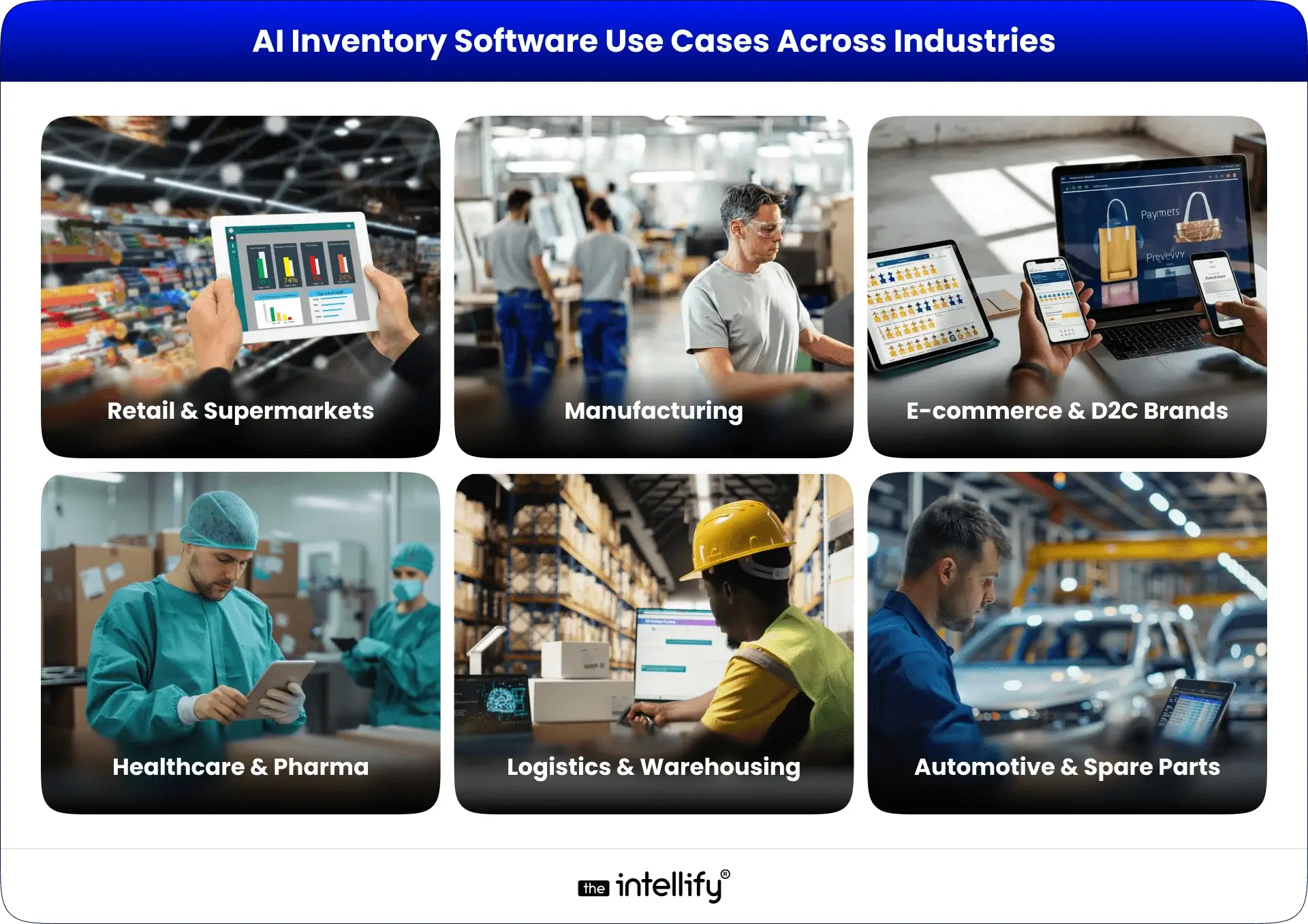
Real-World Use Cases: AI Inventory Software Across Industries

AI Inventory Software Use Cases

Retail & Supermarkets

  • Seasonal forecasting: Adjust stock levels during holidays and special events.
  • Shelf availability: Ensure popular items are always on hand.
  • Reduce spoilage: AI tracks expiration dates, helping minimize waste.

E-commerce & D2C Brands

  • Multi-warehouse syncing: Distributes stock effectively across different locations.
  • Prevent overselling: Real-time alerts help avoid running out of stock.
  • Faster fulfillment: Streamlined operations mean quicker delivery times.

Manufacturing

  • Raw material planning: AI anticipates material needs, optimizing the supply chain.
  • Production scheduling: Alters manufacturing schedules based on stock levels.

Logistics & Warehousing

  • Slotting & space optimization: Organizes warehouse inventory for easy access.
  • Faster inbound/outbound planning: Improved planning leads to more efficient operations.

Healthcare & Pharma

  • Track expiry-sensitive inventory: Manages vital medical supplies effectively.
  • Maintain essential stock levels: AI keeps critical items readily available.

Automotive & Spare Parts

  • Complex SKU forecasting: Effectively handles a diverse range of spare parts.
  • Reduce aging inventory: Avoids unnecessary costs related to surplus parts.


How to Choose the Right AI Inventory Management Solution

When picking the best software for your needs, keep these key factors in mind:

  • Scalability: Ensure the solution can adapt as your business grows.
  • Industry fit: Opt for software designed for your specific sector.
  • Ease of integration: Seek solutions that easily synchronize with your current systems.
  • Accuracy of forecasting: Prioritize options that excel in reliable predictive capabilities.
  • Support & training: Make sure you have the resources to utilize the software fully.
  • Customization: Tailored features can make a significant difference.
  • Vendor expertise in AI: Partnering with a knowledgeable vendor enhances your implementation experience.


AI Inventory Software Development


How Much Does AI Inventory Management Software Cost?

Costs can range widely based on several factors:

  • SaaS subscription: Monthly fees for cloud-based solutions.
  • Custom software pricing: Tailored solutions typically come at a higher cost.
  • Integration cost: Additional expenses to connect with existing systems.
  • Additional features: More advanced tools may carry higher price tags.
  • Maintenance: Costs for ongoing support services.
  • Factors that affect pricing: Complexity, industry-specific features, and scale play a role in overall cost.


AI Vs Traditional Tools


Future Trends: Where AI Inventory Management Is Heading Next

Some pretty interesting trends are emerging:

  • Autonomous inventory: Systems that manage stock independently.
  • AI agents managing supply chains: AI systems taking complete control of supply logistics.
  • IoT + AI warehouse intelligence: Smart warehouses that leverage real-time data for optimization.
  • Zero-touch replenishment: Solutions that reorder stock automatically without human input.
  • Generative AI for reporting: AI that quickly generates comprehensive reports with ease.


Why Partner With The Intellify for AI Inventory Management Solutions

At The Intellify, we stand out with our expertise in AI inventory management software. We provide:

  • Proven success shown through detailed case studies.
  • Custom AI development services tailored to your specific business needs.
  • Comprehensive support to guarantee a smooth implementation.
  • Scalable solutions, ready to evolve with your organization.

If you’re ready to simplify the messy parts of inventory, we’re here to help.


AI inventory management software development


Conclusion

AI inventory management software isn’t just another trend. It’s becoming the backbone of how modern businesses operate. With better forecasting, lower costs, and faster decisions, it opens the door to running things more smoothly, and companies can gain a competitive edge.
If you’re ready to step into this new way of working, The Intellify is happy to guide you through it.


Frequently Asked Questions (FAQs)

1. What does AI inventory management software do for businesses?

It basically keeps an eye on your stock so you don’t have to hover over spreadsheets all day. It tracks what’s moving, what’s sitting, and what’s about to run out. The goal? Fewer surprises, smoother routines, and way less “Wait… how did we miss this?” moments.

2. How does AI make inventory forecasting more accurate?

AI looks at past sales, trends, and a bunch of small patterns people usually miss. It connects dots quickly and gives you a clearer idea of what’s coming next. No guesswork. No crossed fingers. Just cleaner predictions that make planning feel less stressful.

3. Can AI help prevent stockouts and overstocking?

Yep, that’s kinda its thing. It sends alerts when something’s running low or piling up. Think of it like a polite nudge, you know, the kind that saves you from last-minute rush orders or shelves stuffed with products nobody touched for weeks.

4. What key features should AI inventory software include?

Look for the basics that actually make life easier: forecasting, auto-reorder alerts, real-time dashboards, and visibility across all your locations. Nothing fancy, just the stuff that keeps your inventory in check without constant babysitting.

5. Does AI inventory software integrate with ERP, WMS, or eCommerce tools?

Most modern ones do. They plug into whatever you already use, so everything stays synced. No double work. No “Oops, wrong numbers again.” Just smoother workflows that feel… well, normal.

6. Is AI inventory management suitable for small businesses?

For sure. Small teams actually benefit a lot because AI takes care of the repetitive stuff. If you’re tired of juggling too many tasks or fixing small errors that add up, AI can lighten that load without making things complicated.

7. How much does AI inventory management software cost?

There’s no one price. It can be a simple monthly subscription or a custom setup that costs more, depending on what you need. Features, integrations, and the size of your business all play a role. Basically, it depends, but you can usually find something within reach.

8. Why choose The Intellify for AI inventory management solutions?

We build systems that fit your business, not the other way around. The Intellify brings real hands-on experience, clear communication, and support that doesn’t vanish after launch. If you want something that actually works day-to-day, we help you get there without the drama.

View
Case Study